Regras do Time
In our chatbot platform, a team role defines the specific duties assigned to each team involved in managing different tasks. A team can comprise multiple members. The process of adding team members is outlined in the Team section of our platform. To assign tasks to team members, you first need to establish a team role and then assign permissions for the tasks you want the team members to handle.
Here’s how to create a Team Role:
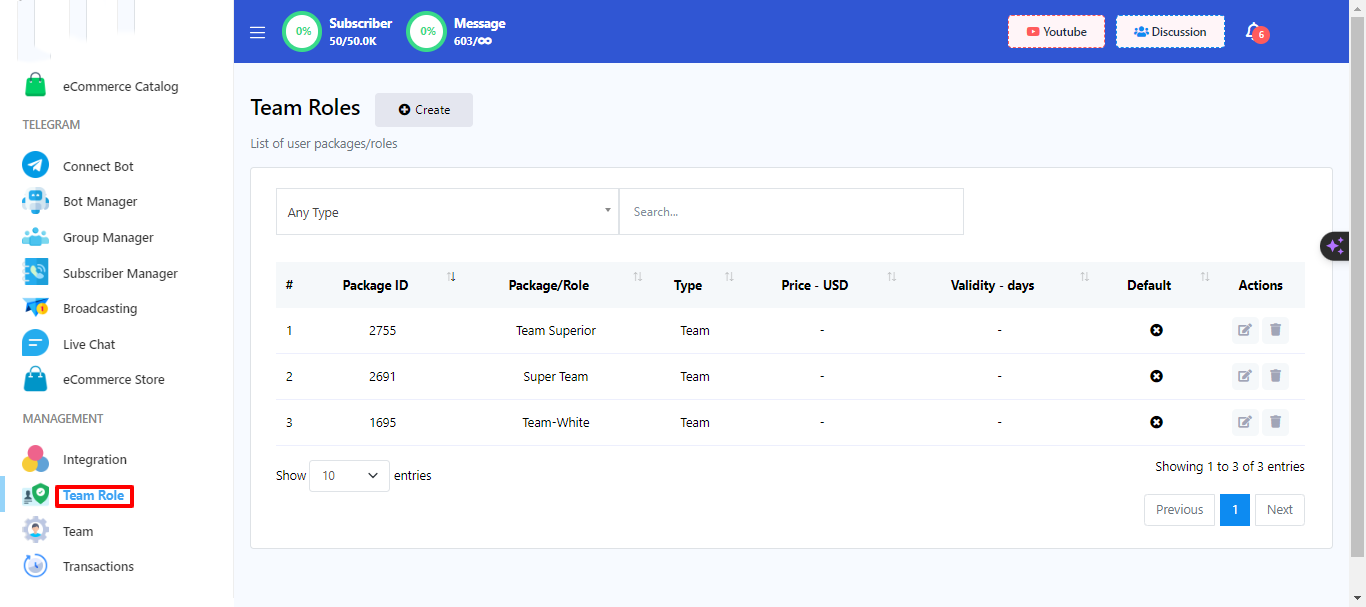
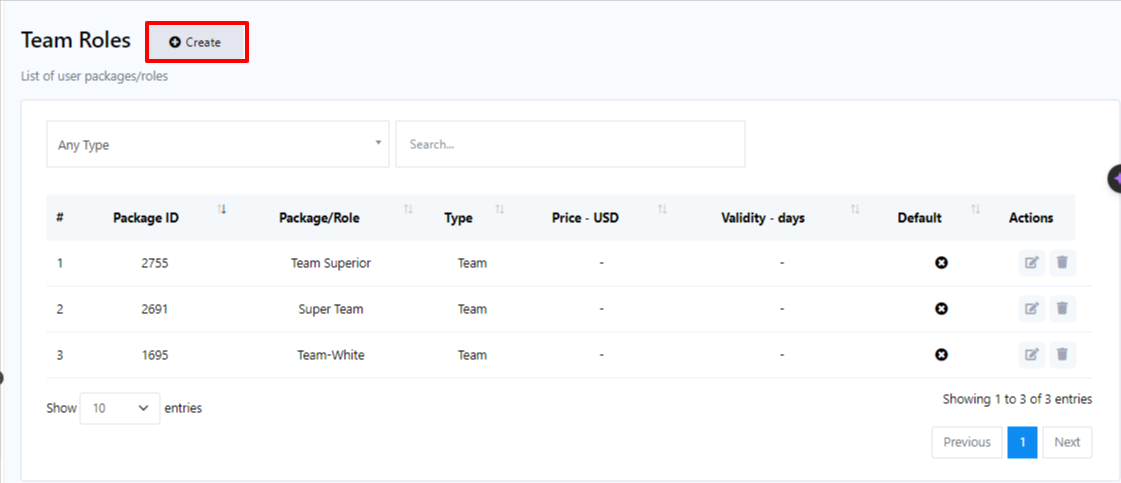
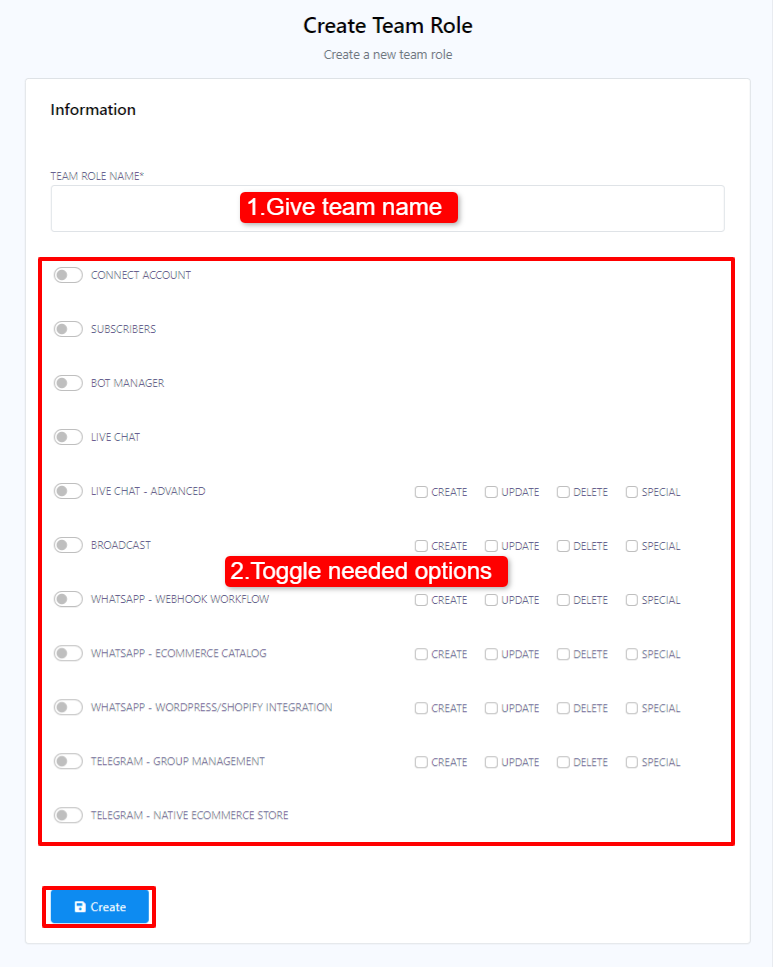
- Begin by accessing your Dashboard, and then scroll down to the `Management` section.
- Locate and click on the `Team Role` option.
- Within the Team Role menu, click on the `Create` button.
- Give a team name.
- Toggle on the permissions that you want to give your team.
- Clique em Criar.
Depois de criar uma função de equipe, você pode atribuir membros da equipe a ela. Por exemplo, se você quiser que uma equipe gerencie a funcionalidade de chat ao vivo, pode criar uma função de equipe para chat ao vivo e, em seguida, criar membros da equipe e atribuí-los a essa função específica. Você também pode adicionar membros da equipe a múltiplas funções, se necessário.